Without structure, your agent reads until itthinks it knows enough. It usually doesn't. Plans miss dependencies. Changes find new callsites halfway through. The session fills up, quality drops, and you're left fixing code that was already working.
Avoid context rot and get better results.
How it works
Orient first. Then build.
Three calls. That's the whole workflow.
01
Get the lay of the land
$serpentine stats .
Module names, node counts, rough scale. Your agent knows what it's dealing with before it opens a file.
02
Find what's relevant
$serpentine catalog . --filter "*auth*"
Every function, class, and variable whose name or location matches — flat, indexed, ready to query.
03
Get the exact subgraph
$serpentine analyze . --select "+src.auth.*+"
Everything that touches the area you care about: upstream, downstream, or both. No file reads required.
Your agent reads the edges, then opens only the files that matter.
Why it matters
What changes when your agent knows the structure.
◈
Richer context
Structural orientation before the agent reads a single file. It knows what calls what, what inherits what, what breaks if you change something.
◉
Less noise
Precise subgraphs instead of exploratory file dumps. The agent sees signal, not your entire codebase crammed into a window.
◎
Fewer surprises
Know the blast radius before anything changes. No new dependents mid-implementation. No rework on code that was already working.
The visualization
And while it's building, you're not blind.
Most agents work in the dark. You ask for a feature, something comes back, you review a diff and hope for the best.
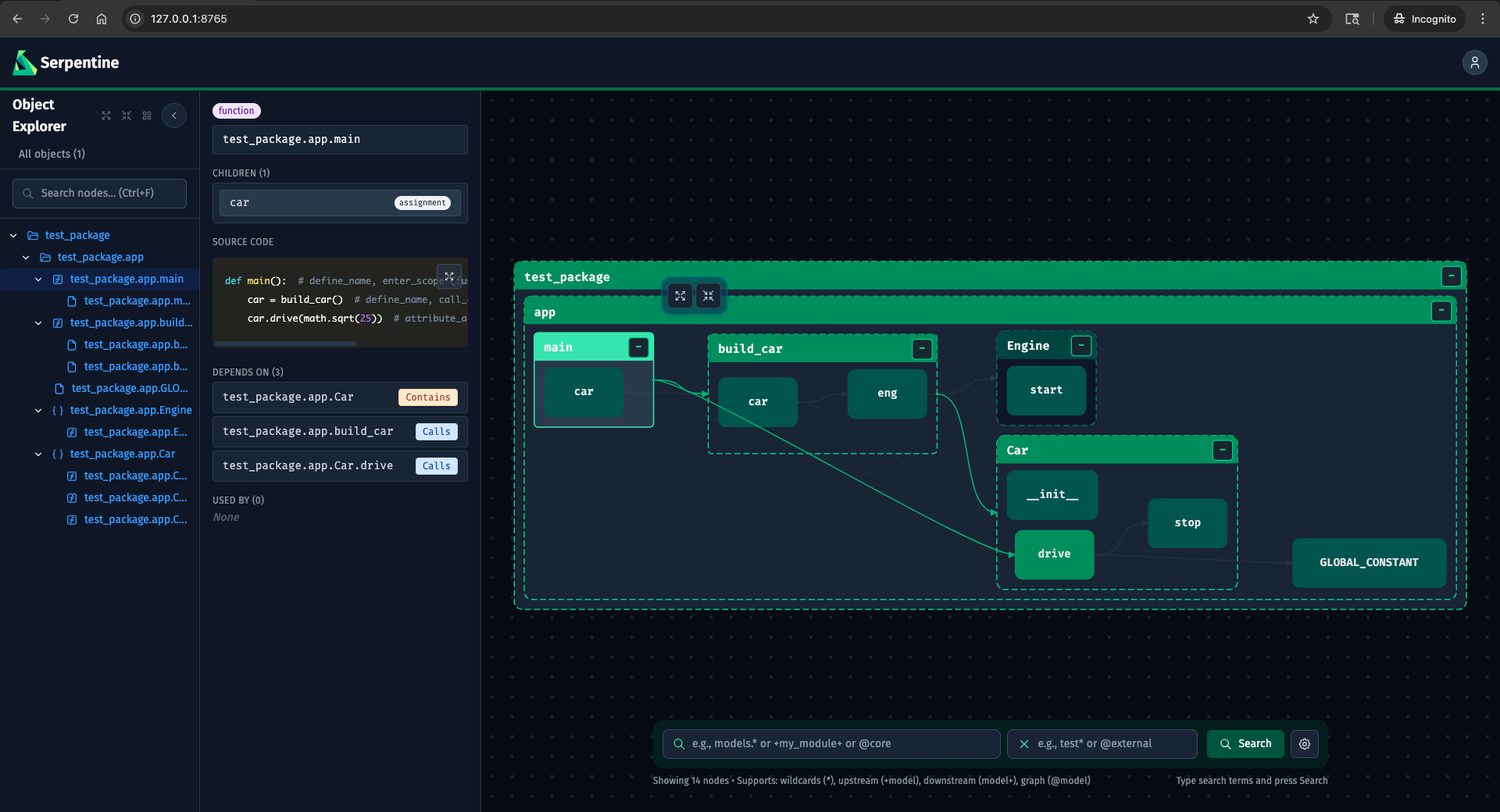
Serpentine's visualization updates in real time as your agent works. New functions appear as they're written. References form — or don't. The shape of the codebase changes in front of you.
serpentine · localhost:8765
You don't have to read every file to know if you like what's being built. This part is for the developers who still want to know what's happening in their codebase. In 2026, that's not everyone. But if it's you, it's here.
VCS integration
See what changed between any two refs.
Compare any two branches, tags, or commits. Serpentine analyzes the graph at each ref and overlays the diff directly on the visualization — added, modified, and deleted nodes highlighted in place.
Filter to only what changed with state:modified, or combine with graph operators to trace the blast radius of a change:+state:modified pulls in every upstream dependency of every modified node.
◈
Any two refs
Branches, tags, commits, or the live working tree. Compare a feature branch against main, or any historical snapshot against any other.
◉
Graph-level diff
Not a file diff — a structural diff. See which functions were added, which modules changed their dependency surface, which classes were removed.
◎
State selectors
Filter the graph to only changed nodes with state:modified, state:added, or state:deleted. Compose with + and @ operators for blast-radius analysis.
Setup
One command to wire it in.
Installs skills, updates config files, and gets out of the way.
From that point on, your agent runsstats,catalog, andanalyzebefore it reads files or writes a plan — not because you told it to this session, but because it's wired in.
Auto-detects which harnesses are in use. Pass--harness to target one explicitly.
Claude CodeCursorCopilotCodexOpenCode
Stop flying blind. Orient first.
Free, open source, and works with the agents you already use.
Python · JS/TS · Rust · TerraformApache 2.0Built in Rustv0.5.0